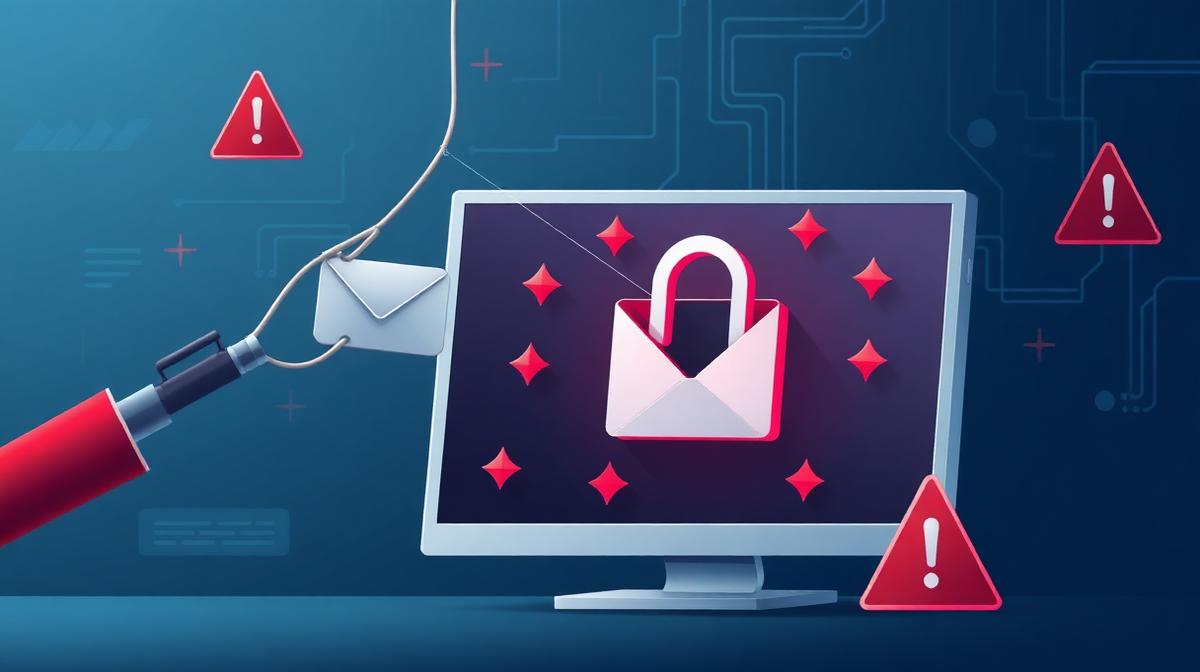
Understanding Phishing Attacks: How to Recognize and Protect Yourself in 2026
Phishing is one of the oldest and most persistent threats on the internet, and in 2026, it remains the number one method cybercriminals use to steal personal information, financial data, and login credentials from unsuspecting victims. Despite decades of awareness campaigns, phishing attacks continue to grow in both volume and sophistication.
The reason is simple: phishing works. It exploits human psychology rather than technical vulnerabilities. No matter how advanced your security software is, a single moment of inattention can lead to a compromised account, financial loss, or identity theft.
This comprehensive guide will help you understand exactly how phishing attacks work, the different types you may encounter, the warning signs to watch for, and the practical steps you can take to protect yourself and your information in 2026.
What Is Phishing?
Phishing is a type of cyberattack where criminals impersonate a trusted entity — such as a bank, a technology company, a government agency, or even a friend — to trick you into revealing sensitive information. The term "phishing" is derived from "fishing," because attackers cast a wide net hoping that some victims will take the bait.
The information phishers target typically includes:
- Login credentials: Usernames and passwords for email, banking, social media, and other accounts
- Financial information: Credit card numbers, bank account details, and payment service credentials
- Personal identity data: Social security numbers, passport numbers, dates of birth, and addresses
- Corporate data: Business email credentials, internal system access, proprietary information
Phishing attacks can lead to direct financial theft, unauthorized access to your accounts, identity fraud, corporate data breaches, and in some cases, ransomware infections that can lock you out of your own devices.
How Phishing Has Evolved in 2026
Phishing has come a long way from the poorly written emails of the early 2000s that asked you to send money to a foreign prince. Modern phishing attacks are highly sophisticated and increasingly difficult to detect.
Several key developments have made phishing more dangerous in 2026:
AI-Generated Phishing Content
Artificial intelligence tools have made it possible for attackers to create phishing emails, messages, and websites that are virtually indistinguishable from legitimate communications. AI can generate perfect grammar, match the tone and style of real companies, and even personalize messages based on publicly available information about the target.
Gone are the days when you could spot a phishing email by its broken English and generic greeting. Modern phishing messages can address you by name, reference your recent purchases, and mimic the exact design templates used by the company they are impersonating.
Deepfake Voice and Video Phishing
In 2026, phishing is no longer limited to text. Attackers now use deepfake technology to create convincing voice messages and video calls that appear to come from people you know or trust. A phone call that sounds exactly like your bank manager asking you to verify your account details may actually be a deepfake generated from publicly available audio samples.
This evolution makes phone-based phishing (known as "vishing") significantly more dangerous than in previous years.
Multi-Channel Attacks
Modern phishing campaigns often use multiple channels simultaneously. You might receive a phishing email that references a text message you will receive shortly, which contains a link to a fake website. This multi-channel approach creates a sense of legitimacy because the attack appears coordinated and official.
Attackers also increasingly use social media platforms, messaging apps, and even calendar invitations as phishing vectors.
Types of Phishing Attacks
Understanding the different types of phishing attacks can help you recognize them when they happen. Here are the most common forms of phishing in 2026:
Email Phishing
The most traditional and still most common form of phishing. Attackers send emails that appear to come from legitimate organizations, asking you to click a link, download an attachment, or reply with sensitive information.
Common email phishing scenarios include:
- "Your account has been compromised — click here to secure it"
- "Your package delivery failed — update your address"
- "You have a pending invoice — download it here"
- "Your subscription is expiring — renew now to avoid service interruption"
These emails often create urgency to pressure you into acting without thinking.
Spear Phishing
Unlike mass email phishing, spear phishing targets specific individuals or organizations. Attackers research their targets and craft highly personalized messages that reference real projects, colleagues, or events.
Spear phishing is particularly dangerous in corporate environments, where an attacker impersonating a senior executive can trick employees into transferring funds, sharing credentials, or granting system access.
Smishing (SMS Phishing)
Smishing uses text messages to deliver phishing attacks. These messages typically contain a link to a fake website or a phone number to call. Common smishing tactics include fake delivery notifications, bank alerts, and prize notifications.
Text messages feel more personal and urgent than emails, which is why smishing has become increasingly effective.
Vishing (Voice Phishing)
Vishing involves phone calls from attackers pretending to be from your bank, a government agency, tech support, or another trusted organization. They may ask you to verify your identity by providing personal information, or they may direct you to a fake website.
With deepfake voice technology now widely available, vishing attacks have become significantly more convincing.
Clone Phishing
In clone phishing, attackers take a legitimate email you have previously received — such as a shipping notification or account update — and create an identical copy with the links replaced by malicious ones. Because the email looks exactly like something you have already received, it is easy to fall for.
Website Phishing
Attackers create fake websites that closely mimic legitimate ones. These sites are designed to capture your login credentials when you attempt to sign in. Fake banking portals, social media login pages, and e-commerce checkout pages are among the most common.
Phishing websites may use domain names that are nearly identical to the real ones, with subtle differences that are easy to overlook.
How to Recognize a Phishing Attack
While modern phishing attacks are sophisticated, they often still contain telltale signs that can help you identify them. Here are the key warning signs to watch for:
Check the Sender's Email Address
Look carefully at the sender's email address, not just the display name. Phishing emails often come from addresses that are slightly different from the legitimate organization's domain. For example, an email might appear to come from "[email protected]" instead of "[email protected]."
Look for Urgency and Threats
Phishing messages frequently create a sense of urgency to prevent you from thinking critically. Phrases like "your account will be suspended," "immediate action required," or "you have 24 hours to respond" are common red flags.
Legitimate organizations rarely threaten you with immediate consequences via email or text message.
Examine Links Before Clicking
Before clicking any link, hover your mouse over it to see the actual URL it points to. If the displayed link text says "www.yourbank.com" but the actual URL goes to "www.y0urbank-secure-login.com," it is a phishing link.
On mobile devices, long-press a link to preview the URL without opening it.
Watch for Generic Greetings
While this is less reliable than it used to be (due to AI personalization), many phishing emails still use generic greetings like "Dear Customer" or "Dear User" instead of your actual name.
Be Suspicious of Unexpected Attachments
Legitimate organizations rarely send unexpected email attachments, especially executable files, ZIP archives, or documents with macros. If you receive an unexpected attachment, verify with the sender through a separate communication channel before opening it.
Verify Requests Through Official Channels
If you receive an email or message asking you to take action on your account, do not click the link in the message. Instead, go directly to the official website by typing the URL in your browser and check your account from there. You can also call the organization using the phone number from their official website — not the one in the suspicious message.
How to Protect Yourself From Phishing
Prevention is always better than recovery. Here are practical strategies to protect yourself from phishing attacks in 2026:
Enable Two-Factor Authentication Everywhere
Two-factor authentication (2FA) adds an extra layer of security to your accounts. Even if an attacker obtains your password through phishing, they cannot access your account without the second factor — typically a code from an authenticator app or a physical security key.
Enable 2FA on every account that supports it, especially email, banking, social media, and cloud storage accounts.
Use a Password Manager
Password managers generate and store strong, unique passwords for every website you use. This prevents password reuse — one of the biggest risks when a phishing attack compromises one of your accounts.
If every account has a unique password, a single compromised password cannot be used to access your other accounts.
Keep Your Software Updated
Software updates often include security patches that address vulnerabilities exploited by phishing attacks. Keep your operating system, web browser, email client, and all applications up to date.
Enable automatic updates wherever possible to ensure you always have the latest security protections.
Verify Websites Before Entering Information
Before entering any sensitive information on a website, verify that you are on the correct site. Check the URL carefully, look for HTTPS encryption, and consider using website transparency tools to check the domain's age, SSL certificate, and reputation.
Bookmarking important websites (like your bank's login page) and always accessing them through your bookmarks rather than through links is a simple but effective habit.
Educate Yourself and Others
Phishing awareness is one of the most effective defenses. Stay informed about the latest phishing tactics and share that knowledge with family, friends, and colleagues.
Many phishing attacks succeed because the victim simply did not know what to look for. Regular education can significantly reduce this risk.
Report Phishing Attempts
When you identify a phishing attempt, report it. Most email providers have a "Report Phishing" option. You can also report phishing websites to Google Safe Browsing and relevant cybersecurity organizations.
Reporting helps protect others by getting phishing sites and campaigns taken down faster.
What to Do If You Fell for a Phishing Attack
If you believe you have fallen victim to a phishing attack, take immediate action:
- Change your passwords immediately for the affected account and any accounts using the same password
- Enable two-factor authentication on all your important accounts
- Contact your bank if financial information was compromised
- Run a full security scan on your device to check for malware
- Monitor your accounts closely for unauthorized activity over the following weeks and months
- Report the incident to your email provider, the impersonated organization, and relevant authorities
Speed is critical. The faster you respond, the less damage an attacker can do with your compromised information.
The Future of Phishing Defense
As phishing attacks become more sophisticated, defense mechanisms are also evolving. In 2026, several promising developments are helping users stay safer:
- AI-powered email filtering that can detect even highly personalized phishing attempts
- Website transparency and reputation systems that provide instant credibility assessments
- Passwordless authentication methods that eliminate the risk of password theft entirely
- Browser-based phishing protection that warns users before they enter information on suspicious sites
While technology is improving, the most important defense remains human awareness. Understanding how phishing works and staying vigilant is still your best protection.
Conclusion
Phishing attacks in 2026 are more sophisticated, more personalized, and more dangerous than ever before. AI-generated content, deepfake technology, and multi-channel campaigns have made these attacks increasingly difficult to detect.
But knowledge is power. By understanding how phishing works, recognizing the warning signs, and following practical security measures, you can significantly reduce your risk of becoming a victim.
The key principles are simple: verify before you trust, never act under pressure, use strong and unique passwords with two-factor authentication, and always access important websites directly rather than through links in messages.
Phishing succeeds when victims are uninformed or inattentive. By staying informed and cautious, you make yourself a much harder target.
Trust should be earned, not assumed. And in the digital world, verification is the foundation of that trust.
Frequently Asked Questions
What is the most common type of phishing attack?
Email phishing remains the most common type, where attackers send fraudulent emails impersonating legitimate organizations to trick recipients into revealing sensitive information or clicking malicious links.
Can phishing attacks install malware on my device?
Yes. Some phishing attacks include malicious attachments or links that download malware onto your device. This malware can steal data, record keystrokes, or even lock your files with ransomware.
How can I report a phishing email?
Most email providers have a built-in "Report Phishing" option. You can also forward phishing emails to relevant cybersecurity organizations and report phishing websites to Google Safe Browsing.
Is two-factor authentication enough to prevent phishing?
Two-factor authentication significantly reduces the risk of account compromise from phishing, but it is not foolproof. Some advanced attacks can intercept 2FA codes. Combining 2FA with other security practices provides the strongest protection.
How do I know if a website is a phishing site?
Check the URL carefully for misspellings or unusual characters, verify the site uses HTTPS, check the domain age, and look for inconsistencies in design or content. Website transparency tools can help you quickly assess a site's credibility.