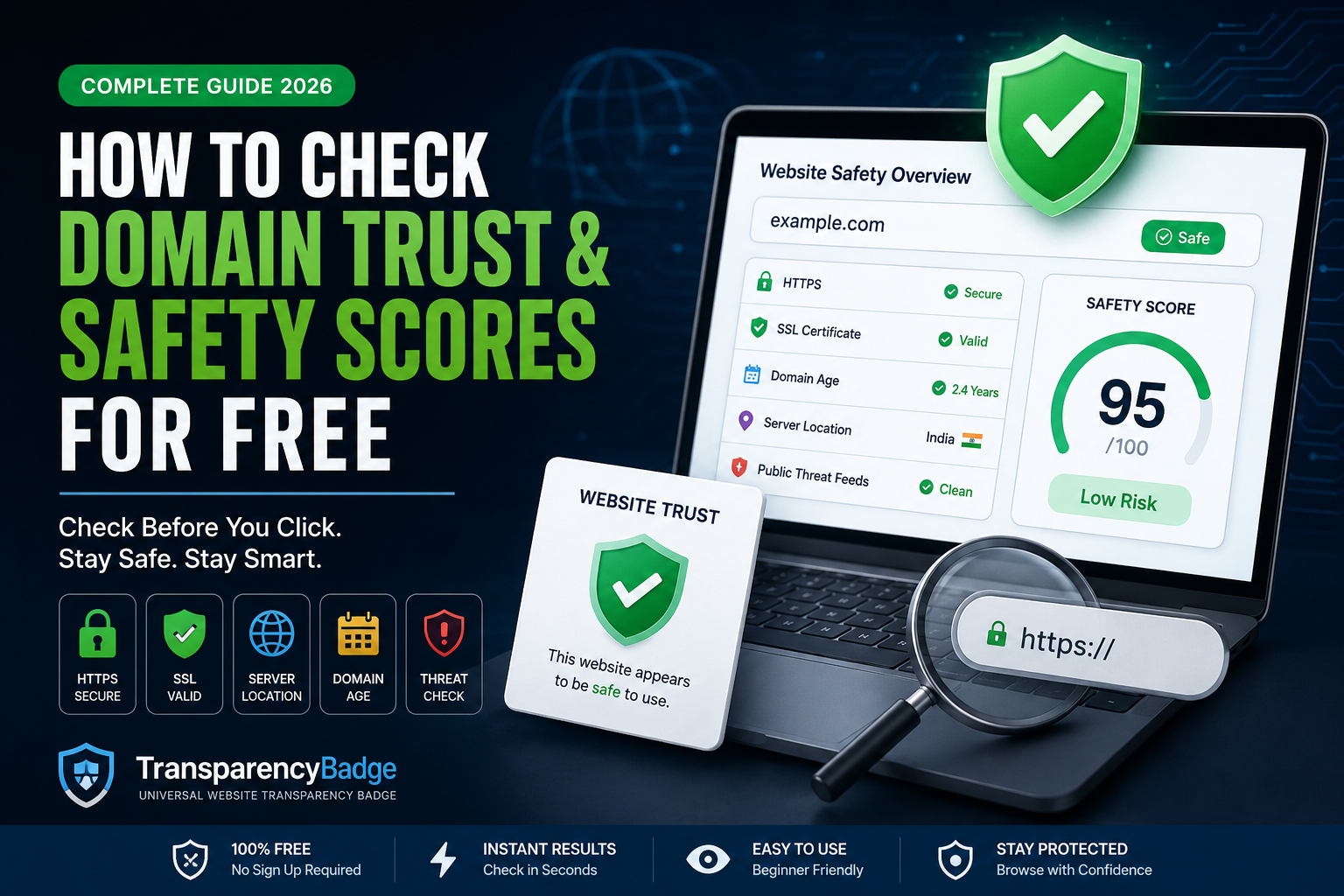
How to Check Domain Trust & Safety Scores for Free
You're about to click a link. Maybe it's a deal that looks too good to pass up, maybe it's a site a stranger sent you in a DM, or maybe it's just a business you've never heard of asking for your card details. That little pause before you click — "wait, is this actually safe?" — is exactly the instinct this guide is going to help you act on.
The good news is you don't need to be technical to check whether a website is trustworthy. You don't need to install anything, pay for anything, or understand how the internet works under the hood. There are free tools built specifically for this, and once you know what to look for, checking a domain takes less time than reading this sentence took.
Let's get into it.
Why Domain Trust Actually Matters
Scam websites don't look the way they used to. A decade ago, a fake site was easy to spot — broken English, ugly design, obvious red flags everywhere. Today, scammers can clone a legitimate-looking storefront in an afternoon using templates that look just as polished as a real Shopify store. Visually, you often can't tell the difference anymore.
That's the problem. Your eyes aren't a reliable safety check anymore. What used to work — "does this site look professional?" — doesn't hold up the way it used to, because building something that looks professional has gotten cheap and fast.
What hasn't gotten easier to fake is the stuff happening behind the scenes: how old the domain is, whether it's been reported for phishing, whether its SSL certificate is legitimate, who actually registered it, and whether other people have flagged it as suspicious. That's the layer worth checking, and it's the layer most people never think to look at.
What Is a Domain Trust or Safety Score, Really?
A domain trust score is basically a summary of publicly available signals about a website, boiled down into something quick to read — usually a rating, a color (green/yellow/red), or a short label like "safe," "caution," or "risk."
Different tools calculate this differently, but most of them are pulling from a similar pool of data points:
- Domain age — how long the domain has existed
- SSL certificate status — whether the connection is properly encrypted
- Blacklist status — whether the domain shows up on any known malware or phishing databases
- WHOIS/registration data — who registered the domain and when, when that information is public
- Traffic and reputation signals — how established or well-known the site is
- Manual reviews — in some cases, actual human review, not just automated scans No single score is perfect. A site can be brand new and completely legitimate (every business was new once), and a site can be years old and still get compromised or turn shady. That's why it's worth understanding what's behind the score rather than just trusting the color of the badge — which is really the whole point of this article.
The Manual Checks You Can Do Yourself (No Tools Needed)
Before we get into the tools, it's worth knowing what you can check with nothing but a browser. These are the same signals most trust-checking tools are pulling from anyway, so understanding them will make you better at reading any tool's results.
1. Look at the address bar
Is there a padlock icon? That means the connection is encrypted (HTTPS), which is the bare minimum for a legitimate site handling any personal information. If a site asking for your email, password, or card number doesn't have HTTPS, that's an immediate red flag — not proof of a scam, but a real warning sign.
2. Check how old the domain is
Scam sites are usually short-lived. They get set up, run a scam for a few weeks or months, and disappear before enough complaints pile up. A domain that's been around for five, ten, or twenty years has a track record — it's much harder to fake longevity. You can check a domain's registration date through a free WHOIS lookup (more on specific tools below).
3. Search the domain name plus "scam" or "reviews"
This sounds almost too simple, but it works surprisingly often. If a site has burned people before, someone has usually posted about it — a Reddit thread, a Trustpilot review, a forum post. Two minutes of searching can save you from a mistake other people already made.
4. Check the contact information
Real businesses are usually easy to reach. Look for a working email address, a physical address, or a phone number. If the only way to contact a site is a vague contact form with no other details, or the "About" page is oddly generic, that's worth noticing.
5. Look at how the site asks for information
Legitimate sites rarely create urgency around personal data. "Your account will be suspended in 10 minutes, verify your card now" is a manipulation tactic, not a normal business practice. Real companies don't usually panic you into typing in sensitive details.
6. Check for a privacy policy and terms of service
It's not glamorous, but it's telling. Legitimate businesses, especially anything handling payments, are required to disclose how they use your data. A missing or copy-pasted privacy policy (sometimes you can tell because it references a completely different company name) is a signal worth paying attention to.
None of these checks are proof on their own. But stack three or four of them together, and you start to get a real picture — which is exactly what a good trust score is trying to summarize automatically.
Free Tools to Check Domain Trust & Safety
Doing all of the above manually every time isn't realistic, especially if you're checking multiple sites a week. This is where dedicated tools come in — they automate most of the signals above and hand you a quick, readable summary.
Transparency Badge
Transparency Badge is a free website safety checker that pulls together the core signals in one place: domain age and registration date, HTTPS/SSL status, public threat feed checks (so you can see if a domain has been flagged for phishing or malware), and approximate server location. You just paste in a URL and get a plain-language summary — safe, caution, or risk — along with the specific data behind that rating, so you're not just trusting a color, you can see exactly why a site got the rating it did.
What sets it apart is the manual verification layer. Beyond the automated checks every tool runs, website owners can apply for a "Verified" badge, which means an actual person reviews the site — not just an algorithm — before it gets approved. If you see that badge on a site, it means someone looked at it directly, checked things like privacy policies and business legitimacy, and is continuing to monitor it. That's a meaningfully different level of trust than a purely automated pass/fail.
It's a solid first stop if you want a fast, honest read on a domain without digging through five different tools yourself.
Google Safe Browsing Transparency Report
This is Google's own public tool for checking whether a site has been flagged for malware or phishing. It's free, doesn't require sign-up, and draws from the same data Chrome uses to show those big red "dangerous site" warnings. It's a good baseline check, though it leans more toward catching outright malicious sites rather than borderline-shady ones.
VirusTotal
VirusTotal lets you scan a URL against dozens of different antivirus and security engines at once. It's more technical than most tools on this list, but it's thorough — if a domain is actively serving malware or has been flagged by multiple security vendors, this tends to catch it.
ICANN Lookup (WHOIS)
If you specifically want to check domain registration details — when it was registered, who the registrar is — ICANN's official lookup tool is the most reliable free source. Keep in mind that a lot of domains now use privacy protection services that hide the registrant's identity, which isn't necessarily suspicious on its own (plenty of legitimate businesses do this too), but it does mean you'll often see "redacted for privacy" instead of an actual name.
ScamAdviser
ScamAdviser generates a trust score based on a mix of automated signals plus user-submitted reports. It's particularly useful for e-commerce sites, since a lot of its data comes from people who've actually had good or bad experiences buying from a given site.
URLVoid
URLVoid checks a domain against multiple blacklist engines simultaneously and gives you a quick pass/fail summary. It's fast and simple, good for a quick gut-check before diving deeper elsewhere.
Norton Safe Web
Norton's free web-based checker leans on the same threat intelligence Norton uses in its antivirus products. It's a good secondary opinion if you've already run a domain through one or two other tools and want a bit more confidence before making a final call — think of it as a tiebreaker rather than a first stop.
How Often Should You Recheck a Site?
This is a question people don't ask enough. A domain isn't permanently "safe" just because it passed a check once. Websites get hacked, ownership changes hands, and domains occasionally get sold to completely different (and less scrupulous) operators once the original business shuts down.
For sites you use regularly — your bank, your usual online stores, tools you log into weekly — you don't need to recheck constantly. The risk there is low because you'd likely notice something off pretty quickly (a broken login page, an unfamiliar redirect, a request that doesn't match how the site normally behaves).
Where it's worth being more careful is with sites you use rarely, links from emails or texts even when they look legitimate, and anything involving a new payment method or account setup. Those are the moments a thirty-second check earns its keep.
How to Actually Read the Results
Here's something worth internalizing: no single tool is the final word. Trust scoring isn't an exact science, and different tools weigh things differently — one might flag a brand-new domain as risky by default, while another gives it the benefit of the doubt if everything else checks out.
The smarter approach is to think in terms of patterns rather than single answers. If a domain is new, has no reviews, hides its registration info, doesn't have HTTPS, and is asking for payment info — that's a stack of yellow flags that together add up to a real concern, even if no single one of them would be disqualifying on its own.
On the flip side, a domain that's a few months old but has a working contact page, a legitimate SSL certificate, a clear privacy policy, and no blacklist hits is very likely fine — new businesses have to start somewhere, and "new" alone isn't a red flag.
Common Mistakes People Make When Checking Site Safety
Assuming HTTPS alone means "safe." A padlock icon just means the connection is encrypted — it says nothing about who's on the other end. Scam sites can have valid SSL certificates too. It's a necessary check, not a sufficient one.
Trusting design quality as a proxy for legitimacy. As mentioned earlier, a polished-looking site isn't proof of anything anymore. Templates are cheap and widely available.
Only checking once. A site that was safe six months ago can be compromised today. If you're a repeat visitor to a smaller or lesser-known site, it doesn't hurt to run a quick check again periodically, especially before entering payment details.
Ignoring your own instincts. If something about a checkout flow, an email, or a site's behavior feels off, that instinct is data too. Tools are there to support your judgment, not replace it.
A Quick Pre-Purchase Checklist
If you want something simple to run through before buying from an unfamiliar site, this covers the essentials:
- Does the URL start with https:// and show a padlock?
- Does the domain show up clean on a safety checker like Transparency Badge or Google Safe Browsing?
- Is the domain more than a few months old, or does it have some other signal of legitimacy (reviews, social media presence, press mentions)?
- Is there a working contact method and a real privacy policy?
- Do a quick search for the brand name plus "reviews" or "scam" — anything concerning come up? If a site checks most or all of these boxes, you're on reasonably solid ground. If it's failing several at once, it's worth pausing before you hand over any information.
Frequently Asked Questions
Is it really free to check if a website is safe?
Yes. All the tools mentioned in this guide — including Transparency Badge, Google Safe Browsing, VirusTotal, and ICANN Lookup — are free to use and don't require an account for a basic check.
What's the difference between an automated check and a manually verified badge?
An automated check pulls together data like domain age, SSL status, and blacklist records without any human involvement — it's fast, but it can miss context a person would catch. A manually verified badge, like the one offered by Transparency Badge, means an actual person reviewed the site directly before approving it, which adds a layer of scrutiny automation alone can't fully replicate.
Can a new website still be trustworthy?
Absolutely. Every legitimate business had a first day online. Domain age is one signal among several, not a disqualifier by itself. A new domain paired with clear contact info, a real privacy policy, and no other warning signs can still be perfectly safe.
Why did a site I trust get flagged as risky?
Sometimes legitimate sites get compromised temporarily, get miscategorized by automated scanners, or simply haven't built up enough of a track record yet for certain tools to rate them confidently. If a site you know well gets flagged, it's worth checking a second tool before assuming the worst — but it's also worth taking the flag seriously rather than dismissing it outright.
Do I need to check every website I visit?
No — that would be exhausting and unnecessary. The checks matter most when money, personal information, or account credentials are involved: online stores you haven't used before, unfamiliar login pages, or links sent by people or sources you don't fully trust.
What's the single most important thing to check?
If you can only do one thing, check whether the domain has been flagged on any public threat or phishing databases — that's the closest thing to a direct "has this caused a problem for someone before" signal. From there, HTTPS status and domain age are the next most useful quick checks.
Are paid domain trust services worth it over free ones?
For personal use — checking a store before you buy, or a link before you click — free tools cover what you need. Paid services generally exist for businesses that need to monitor large numbers of domains continuously or need deeper threat intelligence integrations, which isn't what most individual users are looking for.
The Bottom Line
Checking a domain's trust and safety score isn't about becoming paranoid or refusing to try anything new online. It's about building a two-minute habit that catches the obvious problems before they become your problem — before your card details end up somewhere they shouldn't, or before you hand over personal information to something that isn't what it claims to be.
You don't need to memorize WHOIS syntax or become a cybersecurity expert. Run a domain through a free checker like Transparency Badge, glance at a couple of the manual signals above, and trust the pattern you see. Most of the time, it'll take less time than it took to read this article — and it's a habit that pays for itself the first time it saves you from a bad click.